

How to Play Tidy Room
To tidy a room in Tidy Room!, you fill every basket at the top of the screen by tapping the items each one asks for, and you never let the small tray below the baskets fill up. That is the whole rule set. Everything else — piles, look-alike objects, boosters — is about doing those two things in the right order.
This is a fan-made guide. It is not affiliated with Circle Games.
What is on the screen
Every level uses the same layout. At the very top are a restart button on the left and a pause button on the right. Under them sit three baskets. Two are open, each with a category label such as Socks, Keys or Tableware and a counter like 0/5. The third basket is grey with a padlock and an Unlock tag. Under the baskets is the tray, a strip of seven square slots. The rest of the screen is the room itself: a hand-drawn scene piled with dozens of everyday objects.
The App Store screenshots show this layout in a kitchen, a music room, a kids' room, a pet room and a bedroom, and the walkthrough videos for levels 1 to 9 keep exactly the same frame. Once you have learned one level you know where everything is on every other level.
How you win a level
A level is cleared when the baskets stop asking for new categories and the last one is full. Each time a basket reaches its target, it flashes a green check and is replaced by a new basket with a new category. Some rooms only cycle through a handful of categories — level 1 in its video uses five — while busier rooms go through twenty or more. You do not see the full list in advance, which is why each new basket deserves a fresh look around the room.
There is no timer and no move counter. The store description says it plainly: play at your own pace. The only way to fail is to run out of tray space.
Tapping items
Tap any object in the room to pick it up. If it belongs to the category of an open basket, it flies straight into that basket and the counter goes up. If it does not match any open basket, it drops into the next free slot of the tray and waits there.
Items in the tray are not lost. When a new basket appears whose category matches something already in the tray, that item moves into the basket and frees its slot. Sometimes this is a useful trick: you park an item you know will be needed soon. Most of the time, though, an unmatched tap simply costs space.
The tray and its locked slots
The tray has seven slots, but in the videos the last two show a video icon. They stay locked unless you watch an ad, so in practice you have five free slots. When the tray is nearly full, a slot turns red as a warning. When every free slot is taken and the next tap does not match a basket, the level is over and you start the room again.
Think of the tray as a budget. Each wrong or early tap spends one slot. Each new basket that matches a parked item gives one back. Good play keeps the budget positive: two empty slots is a comfortable margin, one is risky, and zero means the next tap must be a match.
Piles and hidden items
Tidy Room stacks objects on top of each other. A sock can be half buried under a pair of trousers, a key can sit under a magazine, and a cup can hide behind a pot. Items on top of a pile are always easy to tap. Items underneath may only become reachable once the things lying on them are gone.
That is why order matters. Clear the top of a pile with items that match an open basket, and the pile opens up for free. If you dig with items that do not match, every one of them goes into the tray.
- Top items first, buried items later.
- Dig with matching items whenever you can.
- Large furniture such as beds, sofas and pots often hides small objects behind it.
Fill, Unlock and other helpers
Above each open basket the videos show a small Fill tag with a video icon. Watching an ad completes that basket. The padlocked third basket has an Unlock tag; opening it gives you a third category to work on at the same time, which makes it easier to match items. The two locked tray slots can be opened the same way for the current level.
These helpers cost an ad each time, and one App Store review complains that extra slots bought with coins do not stay open. Use them near the end of a level, when one more slot or one filled basket finishes the room, rather than in the opening.
A worked example: level 2
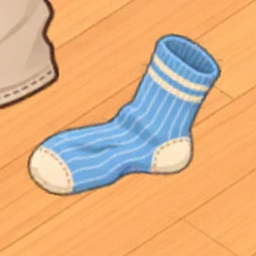
In the video for level 2, a bedroom covered in clothes, the first baskets ask for Socks and Hat. The player finds the socks lying on top of the clothes pile and the hats near the bed, and only picks up a phone once a Phone basket appears. Later baskets ask for Keys, Handbag, Hanger, Toy vehicle, Glasses, Short skirt, Plush doll, Books, Towel, Top, Shorts and Long pants. The tricky moments are the clothing categories: a short skirt, shorts and long pants all look similar at a glance, and a tap on the wrong one costs a tray slot.
Your first moves in any room
Read both open basket names. Look for those items on top of piles and around the edges of the room. Tap them. When a basket changes, stop and read the new name before tapping again. If you have to dig, dig with matching items. Keep two tray slots empty whenever possible. Repeat until the room is clear.